
SmartTrashHub.com | Informational Guide
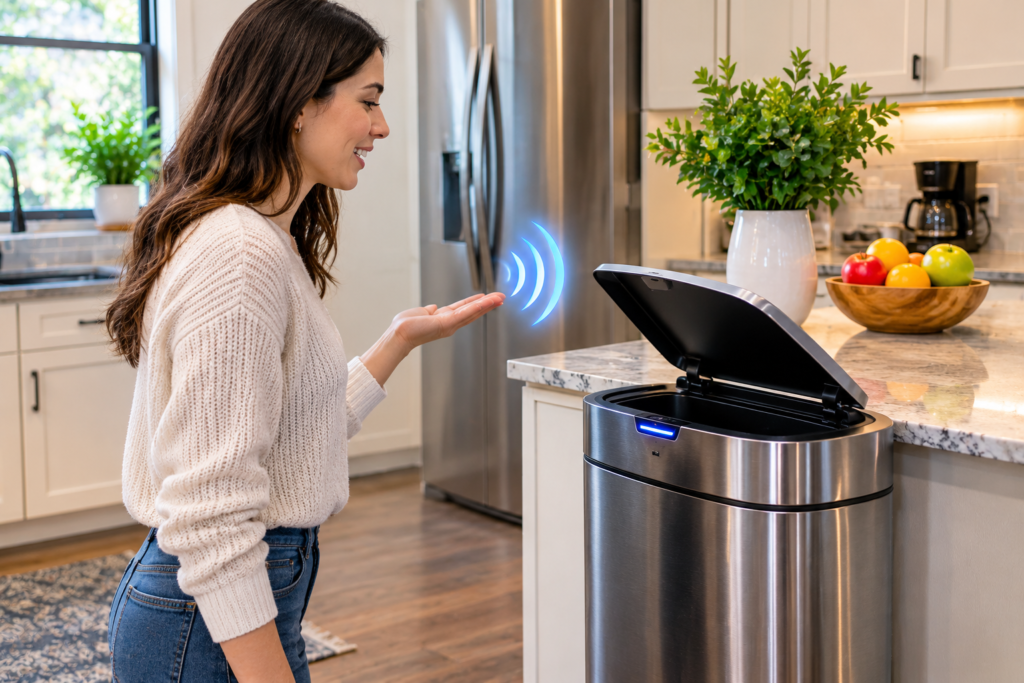
Imagine your hands are full of food scraps while preparing dinner, and you need to open the kitchen trash can without touching its lid. A voice-controlled waste bin can make that task easier, but understanding its commands, setup requirements, and limitations will help you decide whether the technology is right for your kitchen.
Quick Answer: A voice control trash can uses a voice-recognition system and electronic controls to respond to supported spoken commands, such as opening or closing its lid. Depending on the model, the system may include a microphone, control board, motor, and power source. Voice control provides hands-free convenience, but available commands vary by manufacturer.
Table of Contents
What You Need to Know
- Voice-controlled trash cans use spoken commands to operate supported lid functions.
- Microphones and electronic control systems help recognize and process commands.
- Setup requirements, batteries, and available commands vary by model.
- Voice control and motion sensors are different technologies, although some products may combine them.
- Checking the manufacturer’s instructions is the best way to resolve setup and operating problems.
What Is a Voice Control Trash Can?
A voice control trash can is an automatic waste bin that responds to spoken instructions to operate its lid. The technology allows users to open or control the lid without physically touching the trash can, making waste disposal more convenient during cooking, cleaning, and other household activities.
Unlike a traditional garbage bin, a voice-activated model includes electronic components that recognize supported spoken commands and activate the lid mechanism.
How Is Voice Control Different From a Regular Trash Can?
A regular trash can requires you to lift a lid manually or use a foot pedal. A voice-controlled model can respond to spoken instructions, provided the manufacturer has included that functionality.
Some products also combine voice recognition with motion sensors. This means you can choose between speaking a command and waving your hand above the sensor.
For example, Simplehuman’s rectangular sensor can supports both voice and motion control, including the spoken command “open can.” Simplehuman+1
How Does a Voice Activated Trash Can Work?
A voice-activated trash can uses a microphone, electronic control system, and motorized lid mechanism to respond to supported commands. The system converts a recognized voice instruction into an electronic action that operates the lid.
The exact internal design depends on the manufacturer, but the general operating process involves several components.
1. Voice Recognition and Microphone
A microphone is the component that receives spoken instructions.
When you speak a supported command near the trash can, the microphone captures your voice. The recognition system then determines whether the instruction matches a supported command.
Microphone placement and background noise can affect recognition performance.
2. Electronic Control System
The electronic control system processes the recognized instruction and determines which action should happen.
For example, when the system recognizes an opening command, the control electronics activate the lid mechanism.
Some products use simple built-in voice recognition rather than requiring a separate smart-home assistant or internet connection. Check the manufacturer’s specifications before assuming connectivity is required.
3. Automatic Lid Opening Mechanism
An electric motor moves the lid after receiving the appropriate instruction.
Depending on the product, the system may support:
- Opening the lid.
- Keeping the lid open.
- Closing the lid.
Not every model offers all three functions.
4. Power Supply and Operation
Electronic components and motors require electricity to operate.
Manufacturers may provide battery-powered models, rechargeable systems, or an AC power adapter. Some products offer more than one power option.
For example, Simplehuman lists an included plug-in adapter or six AA alkaline batteries as power options for its 58L Sensor Can. This is a model-specific specification, not a universal requirement. Simplehuman – simplehuman dev
What Voice Commands Can a Smart Trash Can Understand?
Voice commands are spoken instructions that tell an automatic trash can which supported function to perform. The available commands depend on the product’s built-in recognition system and manufacturer instructions.
Common command categories include:
| Command purpose | Possible spoken instruction | Expected action |
|---|---|---|
| Open | “Open can” | Opens the lid |
| Keep open | Model-specific command | Keeps the lid open |
| Close | Model-specific command | Closes the lid |
These examples describe possible functions, not a universal command list.
Opening the Lid
The opening command allows you to activate the lid without touching the trash can.
Simplehuman provides a real example: its sensor can responds to the command “open can.” Learn More – Simplehuman
Keeping the Lid Open
Some models allow the user to keep the lid open while disposing of several items.
This can be helpful when preparing vegetables, cleaning the kitchen, or handling multiple pieces of waste.
Closing the Lid
Certain voice-controlled models also support closing commands.
The closing function helps return the trash can to its normal position after use. Consult the instruction manual to identify the exact supported command.
Surprising detail: A voice-controlled trash can does not necessarily need Wi-Fi or a connection to Alexa or Google Assistant. Some models process commands using their own built-in electronics. Voice recognition and smart-home connectivity are separate features.
How to Set Up a Voice Control Trash Can
Setting up a voice-controlled trash can involves checking its power supply, identifying supported commands, and testing the lid. Always follow the manufacturer’s setup instructions because different products use different controls and operating procedures.
Use the following general process.
Step 1 — Read the Manufacturer’s Instructions
Before switching on the trash can, identify its model number and locate the official instruction manual.
Check the following:
- Supported voice commands.
- Power requirements.
- Battery installation instructions.
- Sensor locations.
- Any initial setup or activation requirements.
Do not assume that commands from another brand will work.
Step 2 — Install or Check the Power Supply
Make sure the trash can has the correct power source.
If the model uses batteries, check the battery type and polarity before installation. If the manufacturer provides an AC adapter, use the specified compatible adapter.
Avoid mixing different battery types or using damaged batteries.
Step 3 — Identify Supported Voice Commands
Find the voice-control instructions in the product manual.
Write down the exact commands supported by the model. If the trash can supports opening, keeping open, and closing, identify the individual instructions for those functions.
Step 4 — Test the Voice Control Function
Place the trash can in its intended location and test the supported command.
Speak clearly and use the manufacturer’s recommended wording. If the lid responds, test the other supported functions individually.
Keep the microphone area unobstructed.
Step 5 — Check the Operating Conditions
After testing, check whether the trash can operates consistently.
Pay attention to:
- Background noise.
- Microphone cleanliness.
- Available power.
- Objects blocking the lid.
- Sensor placement.
If the lid does not respond correctly, consult the troubleshooting instructions instead of repeatedly forcing the mechanism.
Voice Control Trash Can: What Are the Benefits and Limitations?
A voice control trash can provides hands-free access to waste disposal, but its usefulness depends on the user’s household needs and the product’s recognition capabilities. The main advantage is convenience, while voice recognition reliability and power requirements are important considerations.
Hands-Free Convenience
Voice commands can help when your hands are occupied with kitchen activities.
For example, you may be holding vegetable scraps or food packaging and want to open the lid without touching the bin.
Reduced Physical Contact
Voice activation allows you to operate supported functions without placing your hands on the trash can.
This can reduce direct contact with the lid during everyday waste disposal.
However, voice control does not automatically make the entire trash can hygienic. The body, surrounding surfaces, and waste liner still require regular cleaning.
Everyday Kitchen Convenience
A voice-controlled garbage can can make repeated kitchen tasks easier.
It may be particularly useful for:
- Preparing meals.
- Handling food scraps.
- Cleaning kitchen counters.
- Disposing of waste while carrying other items.
Possible Limitations
Voice control also has disadvantages.
| Potential limitation | Why it matters |
|---|---|
| Background noise | Can interfere with voice recognition |
| Limited commands | Some models support only specific functions |
| Power dependency | Electronic operation requires power |
| Microphone obstruction | Dust may affect recognition |
| Higher purchase cost | Electronic features may increase the price |
Before purchasing, consider how often you would actually use voice activation.
Voice Control vs. Motion Sensor vs. Manual Trash Cans
Voice-controlled, motion-sensor, and manual trash cans use different methods to operate their lids. Voice control responds to spoken instructions, motion sensors respond to detected movement, and manual models require physical operation.
| Feature | Voice control | Motion sensor | Manual |
|---|---|---|---|
| Operating method | Spoken command | Detected movement | Physical action |
| Hands-free operation | Yes | Yes | Usually no |
| Requires speaking | Yes | No | No |
| Electronic components | Yes | Usually yes | Not necessarily |
| Possible recognition issues | Voice-related | Sensor-related | No voice recognition |
| Power requirements | Model-dependent | Model-dependent | Model-dependent |
| Ease of use | Depends on commands | Depends on sensor | Simple operation |
Which Type Is Better for a Kitchen?
A motion-sensor trash can may suit someone who prefers opening the lid with a hand movement.
A voice-controlled model may be more convenient when both hands are occupied.
A manual trash can may be suitable for someone who wants a simple design without electronic components.
There is no single best choice for every household. Your kitchen layout, daily habits, budget, and preferred operating method should determine your decision.
Common Voice Control Trash Can Problems and Solutions
Voice-control problems can often be related to power, microphone obstruction, background noise, or incorrect commands. Checking the microphone and power supply should be among your first troubleshooting steps.
If your trash can is not responding, you do not necessarily need to replace it.
Troubleshooting Reference Chart
| Problem | Possible reason | What to check |
|---|---|---|
| Voice command not recognized | Incorrect command | Check the manufacturer’s command list |
| Lid does not open | Power issue | Check batteries or power adapter |
| Voice commands work inconsistently | Microphone obstruction or noise | Check microphone openings |
| Lid does not close properly | Obstruction or hinge problem | Inspect the lid mechanism |
| Unexpected lid movement | Motion sensor activation | Check the sensor area |
Save or screenshot this Voice Control Trash Can Troubleshooting Reference Chart — it covers common operating problems and the first checks to perform.
Why Is My Voice Activated Trash Can Not Responding?
Try these troubleshooting steps:
- Check the power supply. Confirm that the batteries or power adapter are installed correctly and provide power.
- Check the microphone area. Look for dust or debris covering the microphone openings.
- Use the correct command. Follow the exact wording in the manufacturer’s instructions.
- Reduce background noise. Test the command in a quieter environment.
- Check the lid mechanism. Look for visible obstructions around the lid and hinge.
- Restart the unit if instructed. Follow the manufacturer’s reset procedure rather than disconnecting components randomly.
A useful example comes from Simplehuman’s official support instructions for its 58L sensor can. The manufacturer identifies microphone-hole obstruction as one possible reason for voice commands failing and provides model-specific cleaning and reset instructions. Simplehuman
Why Does the Lid Open but Not Close?
An opening function can work even when the closing mechanism has a problem.
Possible causes include debris around the hinge, an obstruction, a power issue, or a mechanical fault.
Check the lid area and consult the product manual. Do not force the lid or attempt to repair internal electrical components yourself.
How to Maintain a Voice Activated Trash Can
Regular maintenance helps keep the microphone, sensors, lid, and other components in suitable operating condition. Cleaning the appropriate areas and following the manufacturer’s maintenance instructions can help prevent avoidable operating problems.
Use this maintenance checklist:
- Clean the exterior using a suitable cleaning product.
- Keep microphone openings free from dust.
- Clean motion-sensor surfaces according to manufacturer instructions.
- Remove waste or debris around the lid mechanism.
- Check the power supply when performance becomes inconsistent.
- Replace batteries according to the manufacturer’s recommendations.
- Inspect the lid and hinges for visible damage.
Avoid spraying water or cleaning liquid directly into microphones, sensors, or electrical openings.
If a component becomes damaged, contact the manufacturer’s support service rather than attempting an electrical repair without the appropriate qualifications.
Is a Voice Controlled Trash Can Worth Buying?
A voice-controlled trash can can be worth considering if you regularly handle waste while cooking or prefer hands-free lid operation. Its value depends on how frequently you use voice commands, how reliably the product operates, and whether the additional features justify the purchase price.
Before choosing one, consider these questions:
| Buying consideration | What to look for |
|---|---|
| Voice commands | Clearly documented supported commands |
| Recognition | Ability to operate in your kitchen environment |
| Power | Battery or adapter requirements |
| Capacity | Suitable size for household waste |
| Lid operation | Reliable opening and closing |
| Maintenance | Accessible cleaning instructions |
| Warranty | Manufacturer’s warranty and support |
For example, the Simplehuman 58L Sensor Can is one commercially available model that combines voice and motion controls. Its manufacturer documents the supported voice functionality and power options on its official product page. Simplehuman+1
This is an example of the equipment available in this category, not a claim that it is the best choice for every household.
If you are comparing products, check the manufacturer’s specifications rather than relying only on product photographs or advertising descriptions.
Frequently Asked Questions About Voice Control Trash Cans
1. What is a voice control trash can?
A voice control trash can is an electronic waste bin that responds to supported spoken commands. A built-in voice-recognition system receives instructions and activates the lid mechanism. Depending on the model, users may be able to open, keep open, or close the lid without touching it. Available functions and commands vary by manufacturer.
2. How does a voice activated trash can work?
A voice-activated trash can uses a microphone and electronic control system to recognize supported spoken instructions. After recognizing a command, the control system activates a motorized lid mechanism. Some models also include motion sensors, allowing users to operate the lid through hand movements. The exact technology and available functions depend on the product.
3. Does a voice control trash can need batteries?
Some voice-controlled trash cans use batteries, while others operate through an AC power adapter or offer both options. The required battery type and quantity depend on the model. For example, Simplehuman’s 58L Sensor Can supports six AA alkaline batteries or its included power adapter. Always check the manufacturer’s specifications before purchasing batteries.
4. Can a voice controlled trash can work without Wi-Fi?
Yes, some voice-controlled trash cans can operate without Wi-Fi because their voice-recognition functions are built into the product. However, not every model uses the same technology. A product with additional smart-home connectivity may have different requirements. Check the manufacturer’s manual to determine whether your chosen trash can requires an internet connection or external voice assistant.
5. Why is my voice activated trash can not responding?
A voice-activated trash can may stop responding because of low batteries, an incorrect spoken command, microphone obstruction, or excessive background noise. First, check the power supply and microphone openings. Then test a supported command in a quieter environment. If the problem continues, follow the manufacturer’s troubleshooting and reset instructions.
6. Are voice control trash cans worth buying?
Voice-controlled trash cans may be worthwhile for people who frequently handle food scraps, cook, or prefer hands-free waste disposal. However, they can cost more than basic manual bins and require power and occasional maintenance. Compare the available commands, reliability, capacity, warranty, and price before deciding whether the additional technology suits your household.
7. What is the difference between voice control and motion sensor trash cans?
A voice-control trash can responds to spoken instructions, while a motion-sensor trash can detects movement near its sensor. Both can provide hands-free operation. Some modern products combine both features, giving users more than one way to open the lid. Your preferred operating method and kitchen environment should guide your choice.
8. Can a voice-controlled trash can open and close automatically?
Yes, certain models support voice-activated opening and closing, while others offer a more limited set of commands. Some products also use automatic timing or sensor functions. Do not assume every voice-controlled bin supports all these features. Check the manufacturer’s command list and operating instructions before buying.
What to Do Next
Understanding voice control is only one part of choosing the right waste-disposal system. You can explore related SmartTrashHub resources to learn about other automatic waste-management technologies.
- Explore related technology: Read our Self-Sealing Trash Can guide to understand how self-sealing waste bins work.
- Compare operating systems: [CONTENT GAP: Voice Control vs. Motion Sensor Trash Cans — future comparison article.]
- Explore buying options: [CONTENT GAP: Best Voice Activated Trash Cans — future Amazon affiliate buying guide.]
If you want practical advice on choosing smarter waste-disposal products, subscribe to the SmartTrashHub newsletter for future technology explanations, comparisons, and buying tips.
Final Thoughts
Voice-controlled trash cans offer a convenient alternative to manually operated waste bins. Their microphones and electronic controls allow users to operate supported lid functions through spoken instructions.
However, the technology is not identical across all products. Before buying, check the supported commands, power requirements, maintenance instructions, and warranty.
The best voice-controlled trash can is one that fits your daily routine and provides the functions you will actually use.