

If your automatic trash can has stopped opening, responds slowly, or displays no sensor activity, weak or incorrectly installed batteries could be the reason. Smart trash can batteries are not universal, but identifying the correct battery type, quantity, and voltage can help you restore normal operation without buying unnecessary replacements.
Quick Answer: Smart trash cans use different battery types depending on their manufacturer and model. Many battery-powered sensor trash cans use AA or D alkaline batteries, generally rated at 1.5 volts per cell. Some models support rechargeable batteries or built-in rechargeable packs. Always check the owner’s manual or battery compartment for the correct size, quantity, and voltage.
Table of Contents
What You Need to Know
- Automatic sensor trash cans commonly use AA or D batteries, depending on their design.
- Battery quantity and compatibility vary by manufacturer and model.
- Rechargeable batteries are not automatically compatible with every sensor trash can.
- Slow lid movement or an unresponsive sensor can indicate weak batteries, dirty contacts, or another technical problem.
- Checking battery polarity, voltage, and compartment condition can help prevent replacement mistakes.
What Batteries Does a Sensor Trash Can Use?
Most battery-powered sensor trash cans use AA or D alkaline batteries, but the exact requirement depends on the model. Some newer automatic garbage cans use rechargeable battery systems instead of replaceable cells.
The battery compartment or owner’s manual is the most reliable place to identify the correct battery specifications.
AA Batteries in Automatic Trash Cans
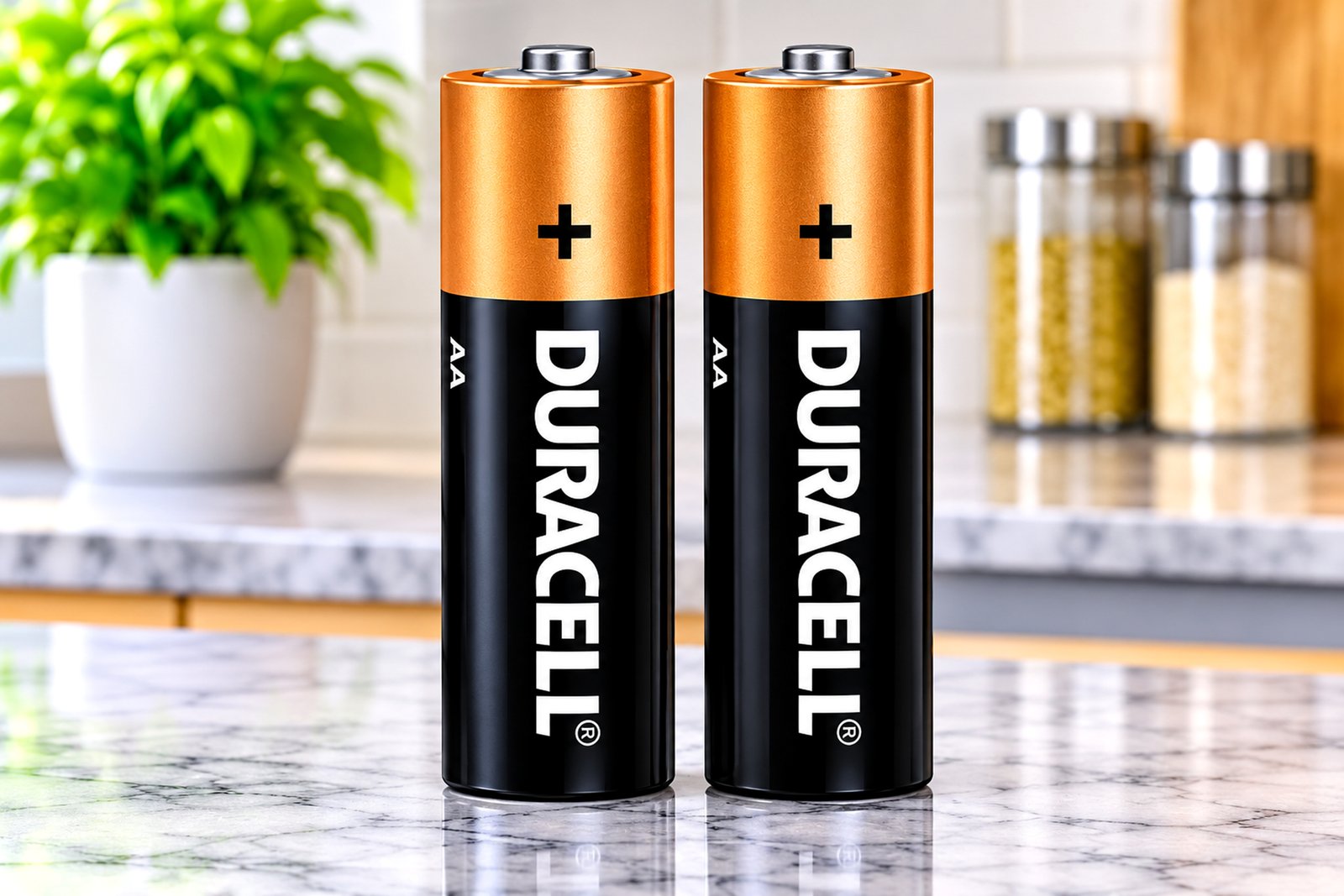
Ofertas en Pack 2X Pila AA Bateria Alcalina Linterna Juguetes Control
AA batteries are compact cylindrical batteries commonly used in household electronic devices. Many battery-powered automatic trash cans use AA cells because their size makes them suitable for compact battery compartments.
Before purchasing AA replacements, check:
- Whether the manufacturer specifies alkaline or another chemistry.
- The number of required batteries.
- The required voltage.
- Whether rechargeable AA batteries are supported.
A standard alkaline AA battery has a nominal voltage of 1.5 volts.
D Batteries in Automatic Trash Cans
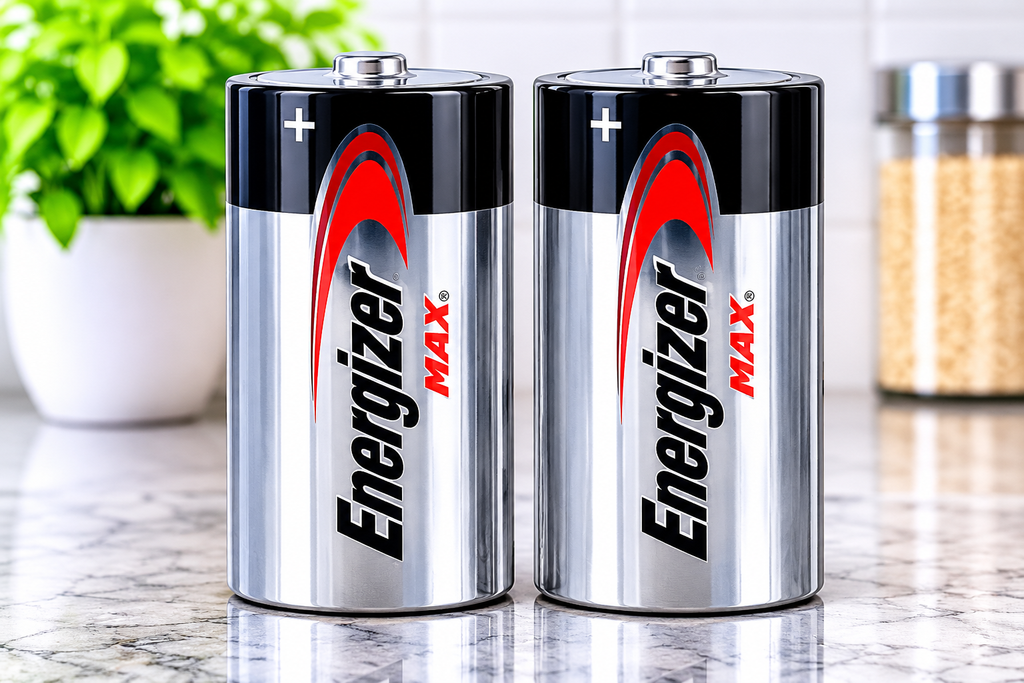
Energizer E95 D Size 1.5 Volt Alkaline Batteries – 2 Pack – Batteries and Butter
D batteries are larger cylindrical batteries that can fit certain automatic trash can designs. Their physical size and capacity characteristics differ from AA batteries.
Some trash can models specify D batteries because their battery compartments are designed for that size.
Check the manufacturer’s instructions before purchasing them. A D battery cannot simply replace an AA battery because both have a nominal voltage of 1.5 volts.
Rechargeable Batteries and Built-In Battery Systems
Rechargeable batteries can be useful for devices that consume power regularly, but compatibility matters.
There are two common rechargeable arrangements:
- Replaceable rechargeable cells, such as AA NiMH batteries.
- Built-in rechargeable battery packs charged through a supplied charging connection.
A standard rechargeable NiMH AA cell generally has a nominal voltage of 1.2 volts, compared with 1.5 volts for an alkaline AA cell.
A rechargeable battery with the correct physical size may still have an incompatible voltage or chemistry.
Check the manufacturer’s manual before using rechargeable batteries.
How Many Batteries Does a Sensor Trash Can Need?
The number of batteries required by a sensor trash can depends on its battery compartment and electrical design. Some models require multiple AA cells, while other models use larger D cells or rechargeable battery packs.
There is no universal battery count for all automatic trash cans, including 13-gallon models.
Where to Find the Required Battery Count
Check these locations:
- Battery compartment: Look for the battery diagram and polarity markings.
- Owner’s manual: Find the power or battery specifications.
- Manufacturer’s product page: Check the technical specifications for your exact model.
- Product label: Look for voltage and battery-type information.
Why Battery Quantity Matters
The number of batteries affects the device’s power supply.
For example, a device designed for four 1.5-volt alkaline cells connected in series would have a nominal battery-pack voltage of 6 volts.
However, that example does not mean every four-battery trash can uses a 6-volt series arrangement. The actual electrical configuration must come from the manufacturer’s documentation.
AA vs D Battery Trash Can: Which Is Better?
AA and D batteries both commonly have a nominal alkaline voltage of 1.5 volts per cell, but they differ in physical size and capacity. Neither battery type is universally better for an automatic trash can; the correct choice is the one specified by the manufacturer.
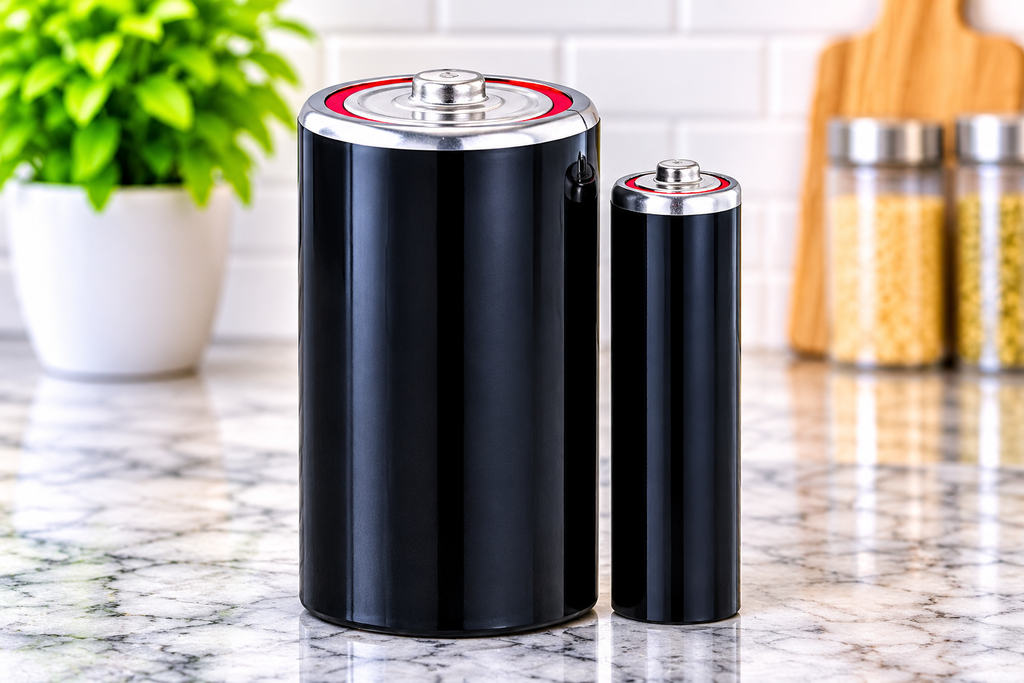
Black Dry cell D and AA size battery in black
AA vs D Battery Comparison
| Feature | AA alkaline | D alkaline |
|---|---|---|
| Nominal voltage | 1.5V | 1.5V |
| Physical size | Smaller | Larger |
| Typical capacity | Lower | Higher |
| Compartment space | Less | More |
| Weight | Lighter | Heavier |
| Compatibility | Model-dependent | Model-dependent |
Actual battery capacity varies by manufacturer, product design, and discharge conditions.
AA Battery Advantages and Limitations
AA batteries are relatively compact and widely available.
Advantages include:
- Easy availability in supermarkets and online stores.
- Smaller physical size.
- Convenient storage.
- Compatibility with many household electronic devices.
A limitation is that AA batteries generally have less capacity than comparable D cells, although actual performance depends on the specific battery and device.
D Battery Advantages and Limitations
D batteries are physically larger and generally offer greater capacity than AA batteries of similar chemistry.
Advantages include:
- Larger physical capacity.
- Potentially longer operation between replacements in compatible devices.
- Suitability for devices designed around larger battery compartments.
However, D batteries are heavier and cannot fit an AA-sized compartment.
Which Battery Should You Choose?
Choose the battery type printed in your automatic trash can’s instructions.
Do not choose D batteries simply because they are larger, or rechargeable AA batteries simply because they are reusable.
Smart Trash Can Batteries: Size, Count and Replacement
The correct battery size, quantity, and chemistry are determined by the automatic trash can manufacturer. Checking all three specifications before buying replacements is the safest way to avoid compatibility problems.
How to Identify the Correct Battery Size
Follow these checks:
- Find the manufacturer’s brand and model number.
- Open the battery compartment according to the instructions.
- Read the battery markings.
- Check the required quantity and voltage.
- Confirm the supported battery chemistry.
Battery Compatibility Reference Chart
| Battery type | Nominal voltage per cell | What to check |
|---|---|---|
| AA alkaline | 1.5V | Compartment size and model approval |
| D alkaline | 1.5V | Compartment size and model approval |
| AA NiMH rechargeable | 1.2V | Rechargeable compatibility |
| Built-in rechargeable pack | Model-dependent | Charging and voltage specifications |
Reference values are nominal cell voltages, not guaranteed operating voltages. Always follow the trash can manufacturer’s specifications.
Save or screenshot this Smart Trash Can Battery Compatibility Chart — it covers battery types, nominal voltage, and the specifications to check before purchasing replacements.
How to Check Battery Polarity
Battery polarity describes the positive (+) and negative (−) electrical terminals.
Look for the markings inside the battery compartment. The positive terminal usually corresponds to the raised end of a standard cylindrical battery.
Follow the printed diagram rather than assuming every battery compartment has the same arrangement.
Battery Replacement Checklist
Before installing new batteries, confirm:
- Correct battery size.
- Correct battery quantity.
- Manufacturer-approved chemistry.
- Correct voltage.
- Correct positive and negative orientation.
- No visible battery leakage or compartment damage.
How Long Do Sensor Trash Can Batteries Last?
Sensor trash can battery life depends on battery capacity, sensor activity, lid-opening frequency, temperature, and the power requirements of the motor. There is no reliable universal replacement interval for every automatic trash can.
A trash can used several times each day may consume battery power differently from one used occasionally.
Factors That Affect Battery Life
Five factors can influence battery performance:
- Opening frequency: More lid movements can increase power consumption.
- Battery capacity: Different battery brands and models have different capacities.
- Sensor activity: Electronic sensors require power while operating.
- Motor requirements: The lid motor needs energy to open and close the lid.
- Battery condition: Old, damaged, or improperly stored batteries may perform poorly.
How Lid Opening Frequency Affects Battery Consumption
An automatic trash can activates its lid mechanism whenever the sensor detects a suitable trigger.
Frequent activation can increase energy consumption, particularly when the motor operates repeatedly throughout the day.
A higher-capacity battery does not guarantee a specific number of months of operation because actual consumption depends on the trash can’s electrical design and usage.
Signs That Batteries Need Replacement
Look for these possible warning signs:
- The lid opens more slowly than usual.
- The sensor responds inconsistently.
- The lid stops moving.
- The indicator light behaves differently from normal.
- The device stops responding even though the sensor area is unobstructed.
These symptoms can also indicate sensor or mechanical problems, so replacing batteries is not always the solution.
How to Replace Batteries in an Automatic Trash Can
Replacing batteries is usually straightforward when the manufacturer provides a user-accessible battery compartment. Use the specified battery type, install the correct quantity, and follow the polarity markings.
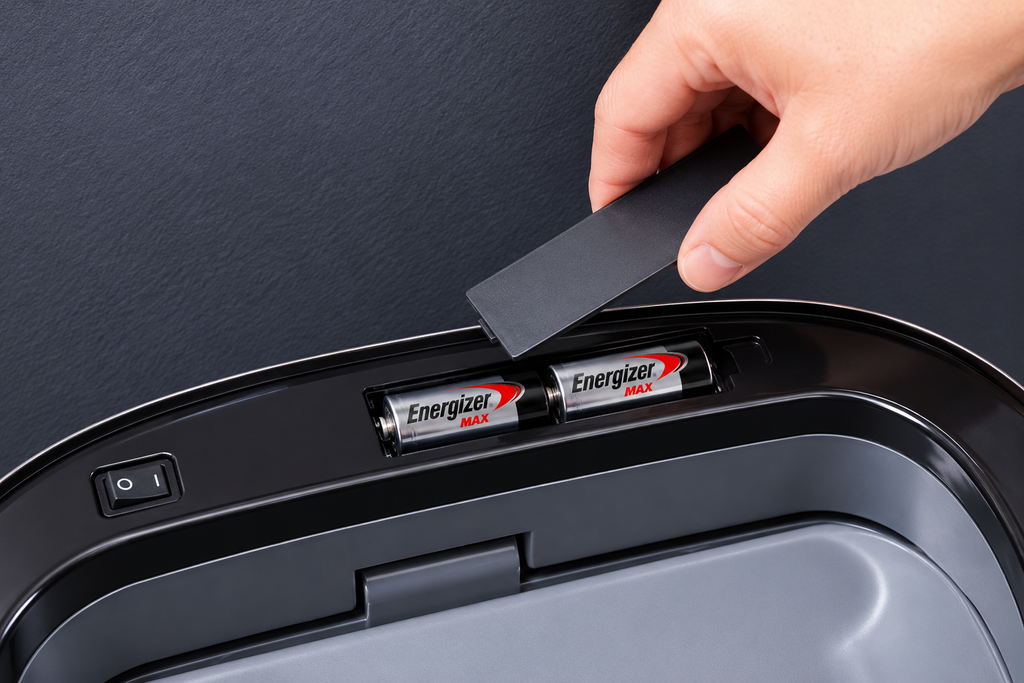
Replacing smart trash can batteries in an automatic sensor trash can
Follow these steps:
Step 1 — Turn Off the Trash Can
Switch off the automatic trash can using its power button or switch, if provided.
This helps prevent unexpected lid movement while you work.
Step 2 — Locate the Battery Compartment
Find the battery compartment, which is commonly located inside the lid assembly or another designated area.
Check the owner’s manual if you cannot find it. Do not force open sealed or non-user-serviceable sections.
Step 3 — Remove the Old Batteries
Open the compartment and remove the existing batteries according to the manufacturer’s instructions.
Check for:
- Leakage.
- Corrosion.
- Damaged battery contacts.
- Unusual discoloration.
Do not handle leaking or damaged batteries casually. Follow the battery manufacturer’s safety instructions.
Step 4 — Install Compatible Replacement Batteries
Install the required number of new batteries.
Check the positive (+) and negative (−) markings before inserting each battery.
Use batteries of the same approved type and chemistry rather than mixing old and new cells.
Step 5 — Test the Automatic Sensor
Close the battery compartment securely and turn the trash can back on.
Follow the manufacturer’s startup instructions. Test the sensor with an appropriate hand movement and check whether the lid opens and closes normally.
If the lid still does not respond, move to the troubleshooting section below.
Why Is Your Sensor Trash Can Not Working After Battery Replacement?
A sensor trash can that remains unresponsive after battery replacement may have incorrectly installed batteries, dirty contacts, sensor interference, or a mechanical fault. New batteries cannot fix every automatic trash can problem.
Batteries Are Installed in the Wrong Direction
Incorrect polarity can prevent a trash can from receiving power properly.
Open the battery compartment and compare every battery with the positive and negative markings.
Never reverse battery orientation to force the device to work.
Battery Contacts Are Dirty or Corroded
Dust, residue, or corrosion around battery contacts can interfere with the electrical connection.
If the contacts are dirty, follow the manufacturer’s cleaning instructions.
If batteries have leaked, avoid touching the residue directly. Wear suitable protective equipment and follow the battery manufacturer’s guidance. For significant corrosion or damaged contacts, contact the manufacturer or a qualified technician.
The Sensor Still Does Not Respond
If the batteries are correct but the lid remains unresponsive, check the following:
| Possible problem | What to check |
|---|---|
| Sensor obstruction | Remove objects blocking the sensor |
| Incorrect power setting | Confirm the power switch is on |
| Loose compartment cover | Close the compartment securely |
| Mechanical obstruction | Check whether anything blocks lid movement |
| Electrical fault | Consult the manufacturer’s support team |
Some automatic trash cans also require a particular startup procedure after battery replacement.
When Should You Contact the Manufacturer?
Contact the manufacturer when:
- The battery compartment is damaged.
- New compatible batteries do not restore operation.
- The lid motor makes unusual noises.
- Electrical components appear damaged.
- The device repeatedly switches off.
Do not open sealed electrical components unless the manufacturer specifically authorizes that repair.
How to Make Automatic Trash Can Batteries Last Longer
You can help maintain battery performance by using approved batteries, avoiding unnecessary lid activation, and keeping the battery compartment clean and dry. Correct battery selection and proper maintenance are more useful than choosing a larger battery that does not fit the device.
Choose Manufacturer-Approved Batteries
Use the battery chemistry and size recommended in the owner’s manual.
If the manufacturer specifies alkaline batteries, do not assume that every rechargeable alternative will work correctly.
Avoid Mixing Old and New Batteries
Use a complete set of compatible batteries.
Mixing partially used batteries with new ones can cause uneven performance and may increase the risk of leakage.
Keep the Battery Compartment Dry
Moisture can damage electrical contacts and affect battery connections.
Keep the compartment dry when cleaning the trash can. Never pour water directly into the lid or battery housing.
Remove Batteries During Extended Storage When Recommended
If you will not use the automatic trash can for an extended period, check the manufacturer’s storage instructions.
Removing replaceable batteries may help prevent leakage-related damage during prolonged storage.
Do not remove or attempt to disconnect a permanently installed battery pack unless the manufacturer provides instructions for doing so.
Frequently Asked Questions About Smart Trash Can Batteries
1. What batteries does a smart trash can use?
A smart trash can may use AA or D alkaline batteries, rechargeable cells, or a built-in rechargeable battery pack. The exact type depends on the manufacturer’s design. Check the model number, battery compartment markings, and owner’s manual before purchasing replacements. Battery size alone does not confirm compatibility because voltage and battery chemistry also matter.
2. How many batteries does a sensor trash can need?
The number varies by model. Some automatic trash cans use multiple AA batteries, while others require D batteries or a rechargeable battery pack. A 13-gallon capacity does not determine the battery quantity. Check the manufacturer’s specifications or the diagram inside the battery compartment to find the correct number and arrangement.
3. How long do sensor trash can batteries last?
Sensor trash can batteries do not have one guaranteed lifespan. Battery capacity, lid-opening frequency, motor power consumption, sensor activity, and environmental conditions all affect operating time. Check the manufacturer’s estimated battery life if one is provided. Replace batteries when performance declines and investigate sensor or mechanical faults if replacement does not solve the problem.
4. Can you use rechargeable batteries in a smart trash can?
Rechargeable batteries can be used only when the trash can manufacturer supports their chemistry and voltage. Standard AA NiMH rechargeable batteries generally have a nominal voltage of 1.2 volts, while alkaline AA batteries have a nominal voltage of 1.5 volts. Confirm compatibility in the manual before installing rechargeable cells. Never assume that matching battery dimensions means matching electrical requirements.
5. Can you replace AA batteries with D batteries?
No, not as a direct replacement in an AA-sized battery compartment. AA and D batteries have different physical dimensions, even though standard alkaline versions have the same nominal voltage per cell. A D battery should only be installed in a compartment specifically designed for D batteries. Never modify a battery compartment to accommodate a different battery size.
6. What are the best batteries for a smart trash can?
The best batteries are the type and chemistry approved by the trash can manufacturer. For a model that specifies alkaline AA batteries, choose quality alkaline AA replacements rather than assuming a different chemistry will perform better. Compare manufacturer specifications, expiration dates, and storage recommendations. Rechargeable batteries are worth considering only when the device supports them.
7. Where can you buy smart trash can replacement batteries?
You can find compatible replacement batteries at supermarkets, electronics retailers, hardware stores, and online retailers such as Amazon. Before ordering, confirm the battery size, quantity, chemistry, and voltage specified for your trash can. Buying a familiar brand does not guarantee compatibility if the battery type is incorrect.
8. Do all 13-gallon automatic trash cans use the same batteries?
No. A 13-gallon capacity describes the approximate waste-container size, not the electrical design. Two automatic trash cans with identical capacities may use different battery sizes, quantities, and power systems. Always check the individual product specifications rather than purchasing batteries based only on the trash can’s gallon capacity.
9. Should you remove batteries when the trash can is not in use?
For automatic trash cans with removable batteries, follow the manufacturer’s storage instructions. Removing replaceable batteries during extended storage may reduce the risk of leakage-related damage. However, built-in rechargeable battery packs require different storage procedures. Check the manufacturer’s recommendations before disconnecting or removing any battery system.
Final Thoughts on Choosing the Right Smart Trash Can Batteries
Choosing the correct replacement batteries starts with identifying your automatic trash can’s exact model and checking its manufacturer’s specifications.
AA and D alkaline batteries are both common household battery sizes, but they are not interchangeable. Rechargeable batteries also require careful compatibility checks.
The most useful rule is simple: match the battery size, quantity, chemistry, and voltage specified by the manufacturer.
If your trash can still does not work after installing compatible batteries, investigate the sensor, battery contacts, and lid mechanism before assuming that another battery replacement will solve the problem.
What to Do Next
If you want to understand the technology behind automatic lid operation, read our existing article on ultrasonic sensor trash cans.
For readers comparing automatic trash can designs, the next planned resource is:
- [CONTENT GAP: Best Automatic Trash Cans in the USA — future commercial buying guide]
- [CONTENT GAP: How to Fix an Automatic Trash Can Sensor — future troubleshooting article]
These resources will help you move from understanding battery requirements to choosing and maintaining an automatic trash can.
How Should You Dispose of Old Batteries?
Used batteries should be managed according to their chemistry. Rechargeable lithium-ion batteries should never be placed in household garbage or ordinary recycling bins.
According to the U.S. Environmental Protection Agency (EPA), lithium-ion batteries should be taken to appropriate battery recycling or household hazardous waste collection points. Covering exposed terminals with non-conductive tape can help reduce fire risks during storage and transport. US EPA+1
For more information, read the EPA’s official used household battery disposal recommendations.
Free Battery Replacement Checklist
If you want to avoid compatibility mistakes, a free Smart Trash Can Battery Replacement Checklist can help you record the correct battery size, quantity, voltage, and installation requirements before your next replacement.