
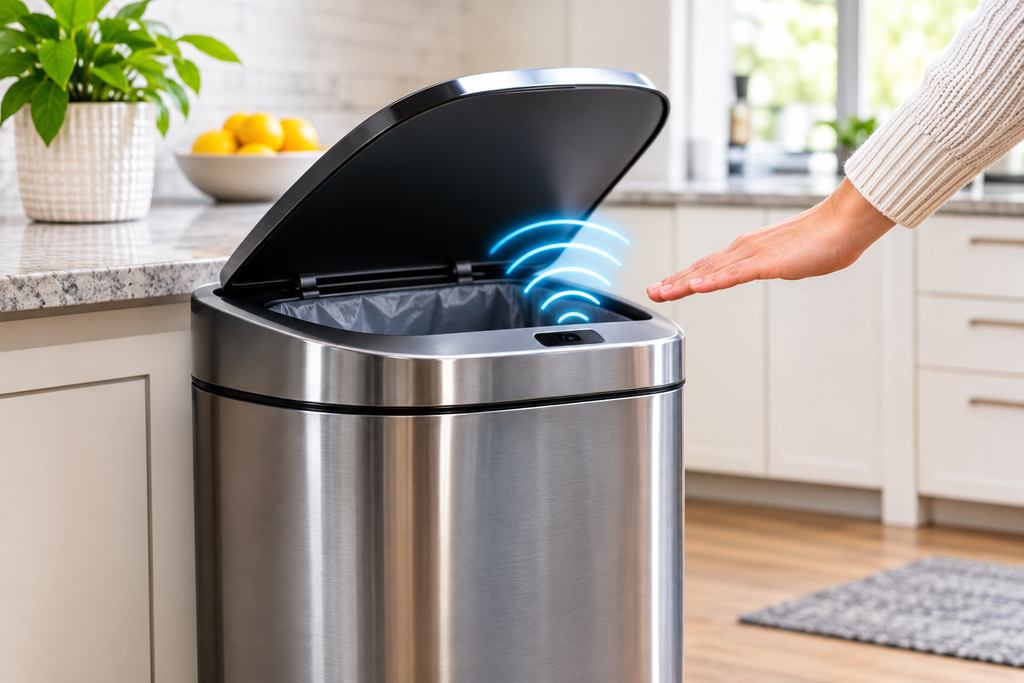
Your smart trash can opens by itself, and now the lid is popping up in a quiet kitchen at 2 a.m. with nobody near it. The cause is almost always a sensor reading something that isn’t your hand, and you can usually fix it in under 15 minutes without replacing anything.
Quick Answer: A smart trash can opens on its own when its sensor detects something that isn’t a hand. The four usual causes are a dirty or blocked sensor lens, sensitivity set too high, weak batteries, and nearby movement or heat. Wipe the lens, replace the batteries, lower the sensitivity, and move the bin away from walls.
Table of Contents
What You Need to Know
- Most random openings come from false triggers, not a broken bin.
- A dirty lens and weak batteries are the two cheapest things to check first.
- Heat and sunlight can trigger infrared sensors with nobody nearby.
- Placement matters: walls, cabinets, pets and foot traffic all cause misfires.
- If the lid still opens with the sensor covered, the problem is hardware, not settings.
Why Does My Trash Can Open on Its Own?
A sensor trash can opens by itself because its sensor reports “someone is here” when no one is. The bin can’t tell a hand from a shadow, a warm airflow or a pet, so it reacts to anything that looks like a trigger.
Many sensor bins use a passive infrared (PIR) sensor, a detector that senses changes in infrared heat, used to spot movement. That is why the trigger doesn’t have to be a person. A sunbeam shifting across the floor or a heating vent cycling on can look like movement to the sensor.
Here is the counterintuitive part. Weak batteries can cause random opening, not just slow or failed opening. Owner forums commonly report erratic lid behavior as batteries run down, because the electronics get unstable before they stop entirely.
Smart Trash Can Opens by Itself: 7 Common Causes
The cause is usually environmental or maintenance-related, and you can test each one in minutes. Work through these in order, from cheapest to most serious.
1. Dirty or Blocked Sensor
Dust, grease or a smudge on the lens can scatter the signal and cause false readings. Kitchen bins collect this fast. Check it first because it costs nothing.
2. Sensitivity Set Too High
Some models let you adjust detection range or sensitivity. A wide setting picks up movement across the room, not just a hand over the lid. Check your manual for a sensitivity switch or button sequence.
3. Low or Dying Batteries
Weak power can make the sensor and motor behave unpredictably. This often shows up as opening and closing in a loop. Replace all batteries at once with fresh ones of the same type.
4. Heat, Sunlight or Reflective Surfaces
Heat sources and moving light can fool infrared sensors. Bins near a stove, radiator, sunny window or glossy appliance are common culprits. Shielding the sensor from direct sun often solves it.
5. Pets, Foot Traffic and Vibration
A cat walking past or a door slamming nearby can trigger the lid. Heavy footsteps on a hollow floor can do the same on some units. If it only happens at certain times, look at what is moving around the bin then.
6. Bin Too Close to a Wall or Cabinet
When the bin sits tight against a surface, the sensor can read that surface as an object. Moving it a few inches out can stop the misfires. Your manual may list a recommended clearance.
7. Lid or Motor Fault
If the lid opens with the sensor fully covered, the sensor probably isn’t the problem. A stuck switch, a worn motor or a damaged lid mechanism can make it open on its own. That points to repair or replacement, not troubleshooting.
Symptom → Cause → Fix Chart
This chart matches what you see to the most likely cause. Use it to skip straight to the right test.
| What you see | Most likely cause | Quick test | Fix |
|---|---|---|---|
| Opens randomly during the day | Sensitivity too high or dirty sensor | Wipe the lens, then watch for 10 minutes | Clean the lens, lower sensitivity |
| Opens at night with nobody around | Heat, reflection, pets or vibration | Move the bin to a different spot | Relocate it or shield the sensor |
| Opens and closes in a loop | Low batteries or lid obstruction | Replace the batteries, check the lid path | Fresh batteries, clear the obstruction |
| Opens when you walk past | Detection range too wide, or bin against a wall | Pull the bin away from the wall | Reposition, reduce sensitivity |
| Still opens after every fix | Faulty sensor or motor | Cover the sensor completely | Contact the maker or use the warranty |
Save or screenshot this Symptom → Cause → Fix chart. It covers every common false trigger, so you can check it next time the lid misbehaves.
How to Stop a Sensor Trash Can From Opening Randomly
You can stop most false openings by working through six steps in order. Don’t skip ahead. The early steps fix the majority of cases.
- Unplug it or remove the batteries. Take the bin out of service for about 30 seconds. This also clears minor glitches.
- Wipe the sensor lens. Use a soft, dry or slightly damp microfiber cloth, then dry it. Skip harsh cleaners, which can leave residue or damage the lens.
- Replace all batteries. Install fresh batteries together. Mixing old and new is a common cause of erratic behavior.
- Lower the sensitivity. If your model has a setting, reduce it one level and test for a full day before adjusting again.
- Move the bin. Try a spot away from walls, heat sources, sunny windows and pet paths. Test it there for 24 hours.
- Reset it. If the lid still misbehaves, follow your manual’s reset procedure, then run a test.
An email note you can use here: If you want a printable version of this checklist, join the SmartTrashHub newsletter and we’ll send it along with new troubleshooting guides.
Simplehuman-Style Troubleshooting
For premium automatic bins like Simplehuman models, the same order applies: clean the sensor, change the batteries, reposition the bin, then consult the official manual or support page for model-specific reset and sensitivity steps. Manuals differ by model, so use your exact model’s instructions.
Common Mistakes That Keep the Lid Misfiring
The most common mistake is replacing the bin before ruling out the basics. Owner forums repeatedly describe fixes that were just a wipe or a new set of batteries.
- Changing only some batteries. Partial swaps can leave the unit unstable.
- Cleaning with harsh sprays. Residue on the lens can cause new false triggers.
- Ignoring the location. A bin by a sunny window or heater will keep misfiring wherever you adjust the settings.
- Changing several things at once. Adjust one variable at a time so you know what worked.
- Not testing long enough. Some triggers (sun, night heating) only appear at certain times, so test for a full day.
When It’s Broken, Not Just Sensitive
If the lid opens even with the sensor covered, or nothing helps after the six steps, treat it as a hardware fault. At that point, further settings changes won’t help.
Stop using the unit and contact the manufacturer if you notice a burning smell, a damaged or swollen battery compartment, or a lid that grinds or sticks. Check your warranty or return window first. If your bin doesn’t open at all instead, read our guide on what to do when a smart trash can isn’t opening.
For official guidance, consult your manufacturer’s user manual (sensitivity, reset and battery sections) [EXTERNAL LINK: manufacturer manual for your model, new tab] and a reputable explainer on how PIR sensors detect heat [EXTERNAL LINK: PIR sensor reference, new tab].
FAQ
Note: the list you pasted as “People Also Ask” was mostly shopping queries, so these questions are drawn from the blueprint’s fan-out list plus one from your pasted items.
Why does my sensor trash can open at night?
Night openings usually come from heat, vibration or movement you don’t notice, such as a heating vent cycling, a pet, or a fridge compressor shaking the floor. Move the bin to a different spot and watch whether the behavior changes. If it doesn’t, check the batteries.
Can low batteries make a trash can open randomly?
Yes. Weak batteries can make the sensor and motor unstable, which shows up as random opening or an open-close loop, not only as slow operation. Replace all batteries at once with fresh ones and test for a full day.
Why does the trash can lid keep opening and closing?
A looping lid usually points to low batteries, an obstruction in the lid’s path, or a sensor that sees the lid’s own movement. Clear anything blocking the lid, replace the batteries, and move the bin away from walls.
How do I reduce sensor sensitivity?
Check your model’s manual for a sensitivity switch or button sequence. Lower it one level at a time and test for a full day. Not every model has this setting, so if yours doesn’t, focus on cleaning and repositioning.
How do I reset a smart trash can?
Reset steps vary by model. A common first step is removing the power source for about 30 seconds, then restoring it. For a full reset procedure, follow your manufacturer’s manual or support page, since methods differ between brands.
Is a trash can that opens by itself broken?
Not necessarily. Most cases are false triggers from dirt, settings, batteries or placement. It is likely broken if the lid still opens with the sensor fully covered, or if nothing works after you clean it, change batteries, move it and reset it.
What to Do Next
- Bin won’t open at all? Read why a smart trash can isn’t opening.
- Battery questions? [CONTENT GAP: how to replace or choose batteries for a smart trash can]
- Want one with fewer false triggers? [CONTENT GAP: best smart trash cans, future commercial page. No link yet.]