
SmartTrashHub · Troubleshooting & Repairs · Estimated reading time: 9 minutes
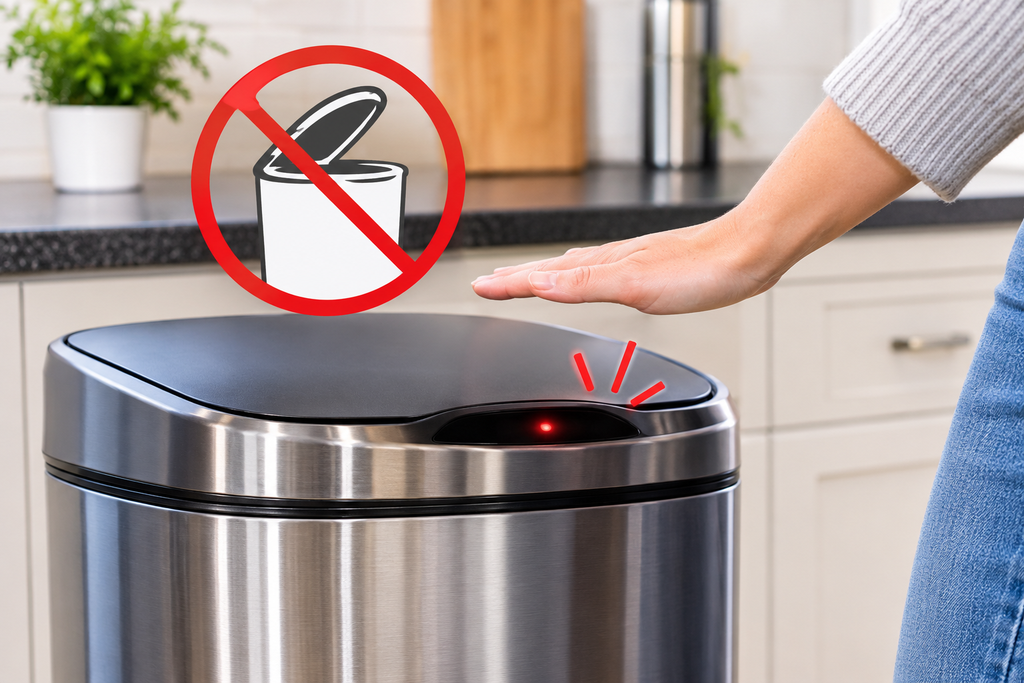
Your automatic trash can refuses to open when you wave your hand over the sensor, leaving you unable to use its touchless feature. The good news is that several common problems can be checked without replacing the entire trash can.
Quick Answer: A smart trash can not opening is often caused by weak batteries, a switched-off power supply, a dirty or obstructed sensor, or a jammed lid. Check the power switch, install fresh compatible batteries, clean the sensor window, remove obstructions, and follow the manufacturer’s reset instructions. If the lid still fails, inspect the mechanism or contact support.
Table of Contents
What You Need to Know
- Weak or incorrectly installed batteries can prevent an automatic lid from operating.
- Dust, fingerprints, and obstructions can interfere with sensor detection.
- A stuck hinge or mechanical obstruction can stop the lid even when the sensor responds.
- Reset procedures differ between manufacturers and models.
- Internal motor or wiring problems may require professional repair or a replacement part.
Why Is Your Smart Trash Can Not Opening?
The most common causes are power problems, sensor interference, physical obstructions, and damaged lid mechanisms. Identifying the symptoms before attempting repairs can help you avoid unnecessary replacements.
Here are five possible reasons your automatic trash can has stopped responding.
1. Dead or Weak Batteries
Many automatic trash cans operate using replaceable batteries. When battery power becomes low, the sensor or motor may stop functioning correctly.
Some models may show a flashing indicator, while others may simply stop responding.
2. Dirty or Blocked Sensor
The sensor detects nearby movement or objects and sends a signal to the lid mechanism.
Dust, fingerprints, grease, or an object covering the sensor window can interfere with detection.
3. Power Switch or Electrical Problems
Some touchless trash cans include an ON/OFF switch near the battery compartment or control panel.
If the switch is turned off, the batteries are installed incorrectly, or the power connection is faulty, the lid may remain closed.
4. Lid Obstruction or Mechanical Failure
A trash bag caught around the rim, an overloaded bin, or an object blocking the hinge can prevent the lid from moving.
A sensor can detect your hand correctly while the lid remains closed because the problem is mechanical rather than electronic.
5. Internal Motor or Wiring Problems
The motor moves the lid after receiving a signal from the sensor.
If the motor, wiring, or internal control system is damaged, replacing batteries or cleaning the sensor may not solve the problem.
7 Ways to Fix a Smart Trash Can That Won’t Open
If your touchless trash can has stopped working, start with simple checks before attempting complicated repairs. Follow these seven troubleshooting steps in order, beginning with the power supply and sensor.
1. Check the Power Switch
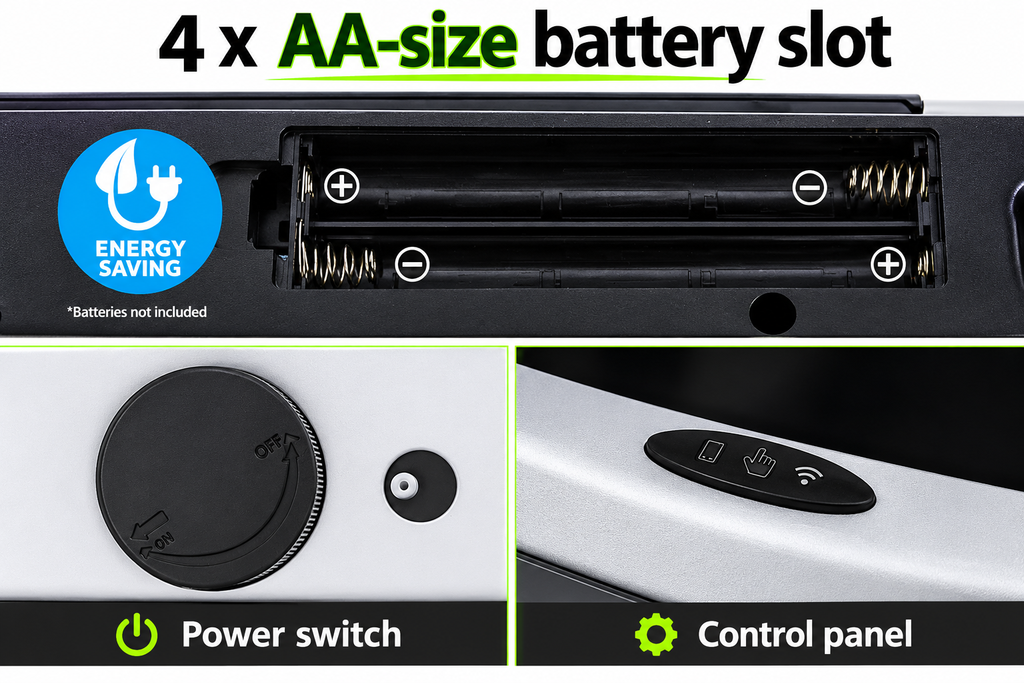
First, make sure the trash can is switched on.
- Locate the ON/OFF switch.
- Check whether the switch is set to ON.
- If the switch is off, turn it on.
- Wait a few seconds.
- Move your hand in front of the sensor to test the lid.
The switch location varies by manufacturer. Check the instruction manual if you cannot find it.
2. Replace or Inspect the Batteries

Weak batteries are one of the first things worth checking when an automatic trash can stops responding.
Follow these steps:
- Switch off the trash can.
- Open the battery compartment.
- Remove the existing batteries.
- Check for leakage, corrosion, or damaged contacts.
- Install fresh batteries of the type specified by the manufacturer.
- Match the positive (+) and negative (−) symbols.
- Close the compartment and switch the unit on.
Use the battery type and quantity specified in the manufacturer’s manual. Do not assume every automatic trash can uses the same batteries.
If the battery contacts show corrosion or damage, avoid touching leaking battery material with bare hands and follow appropriate battery safety guidance.
3. Clean the Sensor Window
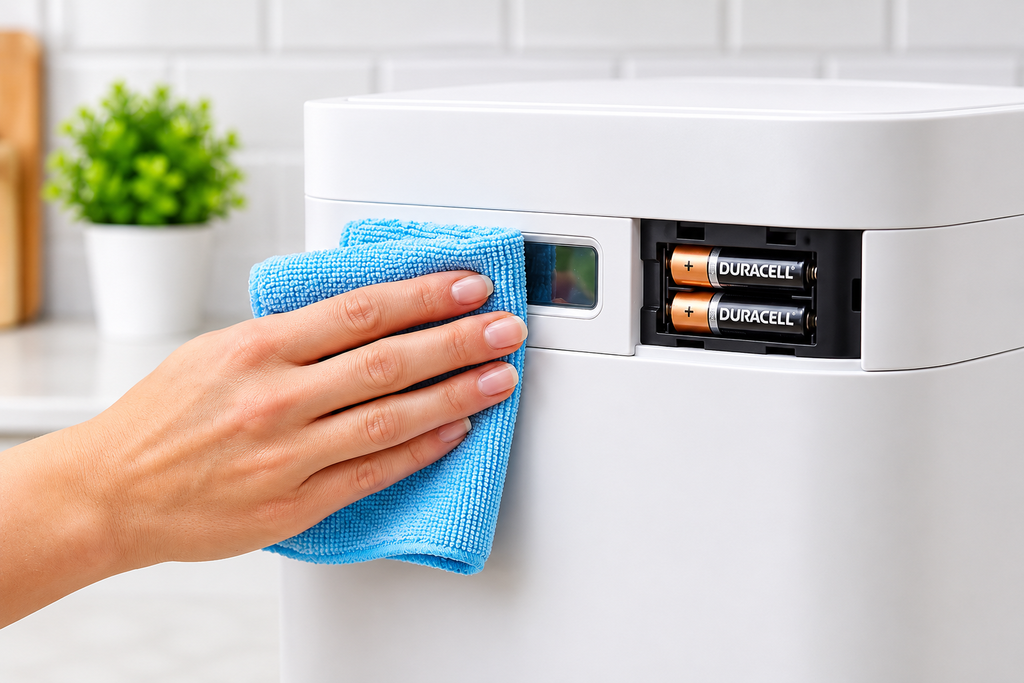
A dirty sensor window can prevent an automatic trash can from detecting your hand.
Try the following:
- Switch off the trash can.
- Locate the sensor window.
- Use a clean, soft microfiber cloth.
- Gently wipe away dust and fingerprints.
- Make sure the sensor area is dry.
- Switch the trash can back on and test it.
Avoid spraying cleaning liquid directly onto the sensor.
Surprising fact: A sensor problem does not always mean the sensor is broken. A thin layer of grease or dust may be enough to interfere with detection.
4. Remove Objects Blocking the Lid

Sometimes the problem is not electronic at all.
A trash bag folded over the rim or an object trapped near the hinge can prevent the lid from opening.
- Switch off the trash can.
- Remove any object blocking the lid.
- Check whether the trash bag is caught around the rim.
- Inspect the hinge area for visible debris.
- Make sure the lid is correctly positioned.
- Restore power and test the sensor.
Never force the lid open. Forcing the mechanism can damage the hinges or motor assembly.
5. Inspect the Lid Hinges and Mechanism

cmsblock – sensor can rectangular – PDP – motor – Simplehuman
The hinge allows the lid to move smoothly between its open and closed positions.
If the lid is crooked, loose, or physically stuck, the mechanism may need attention.
Check for:
- Visible cracks around the hinge.
- Loose or displaced lid connections.
- Debris around the moving parts.
- A trash bag trapped underneath the lid.
- Signs of damage around the lid assembly.
Do not disassemble sealed motor or electrical components unless the manufacturer provides a safe repair procedure.
6. Reset the Automatic Trash Can

Resetting an automatic trash can may help when its electronic controls stop responding.
However, there is no universal reset procedure for every automatic trash can.
For models whose manuals permit a power-cycle reset:
- Turn off the trash can.
- Remove the batteries or disconnect the power source as instructed.
- Wait approximately 30–60 seconds.
- Restore the power supply.
- Turn the unit on.
- Wait for any startup sequence to finish.
- Test the sensor.
The 30–60-second wait is a general troubleshooting suggestion, not a guaranteed manufacturer reset specification.
If the manufacturer’s manual specifies a different process, follow that procedure instead.
7. Check for Internal Damage
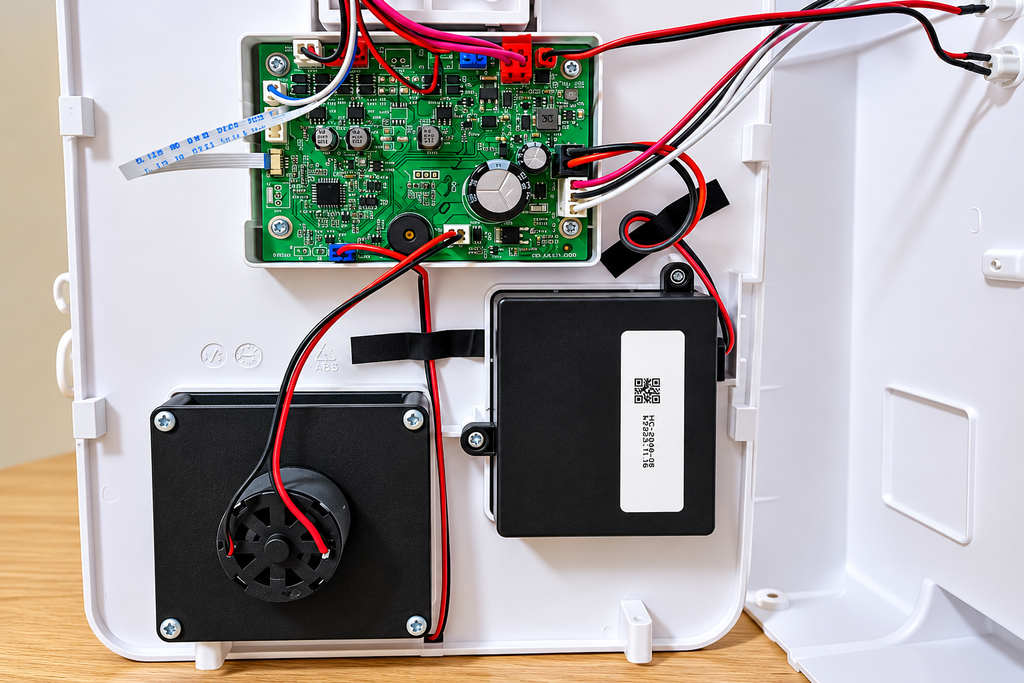
If the power supply, sensor, and lid obstruction checks do not solve the problem, an internal fault may be responsible.
Possible problems include:
- Damaged motor.
- Loose internal connection.
- Faulty control board.
- Damaged wiring.
- Broken lid mechanism.
Do not attempt to repair exposed wiring while the unit is connected to power.
If you notice overheating, burning smells, or damaged wiring, stop using the trash can and contact the manufacturer or a qualified repair professional.
Smart Trash Can Troubleshooting Chart
Use this chart to identify the possible cause based on what your automatic trash can is doing. Start with the simplest checks before considering a replacement.
| What you notice | Possible cause | What to check |
|---|---|---|
| No lights and no movement | Power problem | Batteries, polarity, power switch |
| Sensor does not respond | Dirty or obstructed sensor | Clean the sensor window |
| Lid tries to move but stops | Mechanical obstruction | Hinge and lid clearance |
| Lid opens intermittently | Weak power or inconsistent detection | Batteries and sensor area |
| Sensor responds but lid stays closed | Motor or mechanism fault | Manufacturer troubleshooting instructions |
| Problem continues after reset | Internal fault | Manufacturer support |
Save or screenshot this Smart Trash Can Troubleshooting Chart — it covers common symptoms, possible causes, and the first checks to perform.
What If Your Sensor Responds but the Lid Still Won’t Open?
When the sensor detects movement but the lid does not move, the problem may be inside the lid mechanism rather than the sensor itself.
Check these possibilities:
Check for a Stuck Lid
Look around the lid edges and hinges for trapped trash bags, debris, or objects preventing movement.
Inspect the Lid Movement
If the lid appears crooked or does not sit correctly, its hinge or connecting mechanism may be damaged.
Avoid forcing the lid because the motor or plastic connections could break.
Understand Possible Motor Problems
An automatic trash can motor converts an electronic signal into physical lid movement. If the sensor responds but the motor does not operate, the motor, wiring, or control board may need inspection.
A motor fault cannot always be confirmed from external symptoms alone.
How to Reset an Automatic Trash Can
A power-cycle reset can sometimes restore an unresponsive automatic trash can, but the correct procedure depends on the manufacturer.
Follow these instructions only if they are compatible with your model:
- Switch off the unit. Use the designated power switch.
- Disconnect the power. Remove batteries or unplug the adapter as directed by the manual.
- Wait 30–60 seconds. This is a general troubleshooting interval, not a universal reset specification.
- Reconnect the power. Check battery polarity or adapter compatibility.
- Switch the unit on. Allow the startup process to finish.
- Test the sensor. Move your hand near the designated detection area.
If the automatic trash can still does not respond, consult the manufacturer’s troubleshooting instructions.
When Should You Repair or Replace the Trash Can Lid?
Repair is worth considering when the problem is limited to a replaceable component, while a damaged motor or control system may require manufacturer service or a compatible replacement assembly.
When a Simple Repair May Be Enough
A simple maintenance step may solve the problem when:
- The batteries are weak.
- The sensor window is dirty.
- A trash bag is blocking the lid.
- The power switch is off.
- The lid is incorrectly positioned.
When a Replacement Lid Is Necessary
Consider a replacement lid when the existing assembly has visible damage, broken hinges, or a failed component that cannot be repaired economically.
Before ordering, check:
- The exact brand and model.
- Lid dimensions and attachment points.
- Motor and sensor compatibility.
- Manufacturer replacement-part availability.
When Replacing the Entire Trash Can Makes More Sense
If the electronic control board, motor, and lid mechanism have multiple faults, replacing the entire unit may be more practical than purchasing several repair components.
If basic troubleshooting has failed, compare the cost of a compatible replacement lid with a complete automatic trash can before spending money.
For readers who need replacement equipment, a compatible automatic trash can with a clearly documented sensor and replaceable lid assembly is worth considering. [AFFILIATE LINK: automatic trash can]
Common Mistakes When Fixing an Automatic Trash Can
Some troubleshooting attempts can make the original problem worse. Avoid these common mistakes.
1. Using the Wrong Batteries
Not all automatic trash cans use the same battery type. Always check the model’s specified battery size and quantity.
2. Cleaning the Sensor With Excessive Liquid
Spraying water or cleaner directly onto the sensor can allow moisture to enter the electronic components.
Use a soft, slightly damp cloth only when the manufacturer’s instructions permit it.
3. Forcing the Lid Open
A stuck lid may have a blocked hinge or damaged mechanism. Forcing it can cause additional damage.
4. Repeatedly Resetting the Trash Can
Repeated resets will not repair broken wiring, a damaged motor, or a physically blocked hinge.
5. Following Instructions for a Different Brand
An EKO trash can and an iTouchless trash can may use different controls and reset procedures. Always identify your exact model before following brand-specific repair instructions.
How to Prevent Automatic Trash Can Sensor Problems
Regular maintenance can reduce the likelihood of sensor interference and mechanical obstruction.
Follow these five habits:
- Clean the sensor regularly. Remove dust and fingerprints using a suitable soft cloth.
- Check batteries when performance changes. Replace them according to manufacturer instructions.
- Keep the lid area clear. Prevent trash bags and objects from interfering with the hinge.
- Avoid overloading the bin. Keep waste below the lid and rim.
- Follow the maintenance manual. Use the cleaning methods and replacement parts approved for your model.
A small amount of regular maintenance can help keep the automatic opening mechanism working properly.
Frequently Asked Questions
Why Is My Touchless Garbage Can Lid Not Working?
A touchless garbage can lid may stop working because of weak batteries, a dirty sensor, an inactive power switch, or a blocked lid mechanism. First, check the power supply and battery installation. Next, clean the sensor window and remove anything blocking the lid. If the sensor responds but the lid remains closed, the motor or internal mechanism may need inspection.
How Do I Reset My Automatic Trash Can?
Turn off the automatic trash can and disconnect its power source according to the manufacturer’s instructions. For models that permit a power-cycle reset, wait approximately 30–60 seconds before reconnecting the batteries or adapter. Turn the unit back on and test the sensor. Some brands have dedicated reset buttons or different procedures, so check the model-specific manual first.
Can Weak Batteries Stop a Sensor Trash Can From Opening?
Yes. Weak batteries can provide insufficient power for the sensor, control system, or lid motor to operate correctly. Some automatic trash cans may respond inconsistently before stopping completely. Check the battery compartment, polarity, and battery condition. Replace the batteries with the exact type recommended by the manufacturer, then test the lid again.
Can I Open a Smart Trash Can Manually?
Some smart trash cans allow manual opening through a touch button, manual control, or a manufacturer-approved release method. Other models have mechanisms that should not be forced manually. Check the owner’s manual for the correct procedure. If the lid is stuck, switch off the unit and inspect for visible obstructions rather than pulling or twisting the lid.
Why Does My Trash Can Beep but Not Open?
A beep may indicate that the sensor or control system has detected an input, but the lid mechanism is not completing its movement. Possible causes include a blocked hinge, weak batteries, a motor problem, or an internal connection fault. Check for visible obstructions and inspect the power supply. The exact meaning of a beep depends on the trash can model.
Can I Replace an Automatic Trash Can Lid?
Yes, some manufacturers offer replacement lids or complete lid assemblies for selected automatic trash can models. However, replacement compatibility depends on the brand, model number, dimensions, sensor design, and motor connection. Check the manufacturer’s parts information before ordering. A lid designed for another model may not fit or operate correctly, even if both trash cans look similar.
How Do I Fix an iTouchless Trash Can Lid?
Start by checking the batteries, power switch, sensor area, and lid obstruction. Clean the sensor carefully and follow the reset instructions for your exact iTouchless model. Different iTouchless products may have different controls and replacement parts. Consult the official iTouchless website or the product manual before attempting internal repairs.
Why Is My EKO Trash Can Lid Not Opening?
An EKO automatic trash can may fail to open because of weak batteries, sensor interference, a blocked lid, or an internal mechanical problem. Check the power supply first, clean the sensor window, and remove visible obstructions. If the lid remains unresponsive, identify the exact EKO model and consult its official instructions before attempting a reset or ordering replacement components.
What to Do Next
Fixing the opening mechanism is only one part of keeping your kitchen trash can working properly.
Here are some useful next steps:
- Understand airtight trash cans: Read our guide to airtight trash cans to learn about lid sealing and odor control.
- Learn proper maintenance: [CONTENT GAP: How to Maintain an Automatic Trash Can]
- Compare replacement options: [CONTENT GAP: Best Automatic Trash Cans Buying Guide]
If you cannot identify the fault after these checks, contact the manufacturer with your model number and a description of the symptoms. That is safer than guessing which internal component needs replacement.
Battery Safety and Further Reading
Use only compatible batteries and follow the product manual when replacing them. The U.S. Consumer Product Safety Commission provides additional information about consumer battery hazards and battery safety standards.
Read its official battery safety guidance. U.S. Consumer Product Safety Commission+1
Pingback: Smart Trash Can Opens by Itself? 7 Causes & Fixes